Closed Beta. Still tightening the screws.

Spreadsheet chaos in. Structured output out.

EvoKlar turns messy Excel and CSV data into clean, structured outputs for your daily workflows.
Get beta access

When your supplier thinks '15,5kg' is one happy cell

Before
15,5kg
100EUR
After
15,5
kg
100
EUR
Core capabilities

Turn spreadsheet know-how into reusable team workflows.

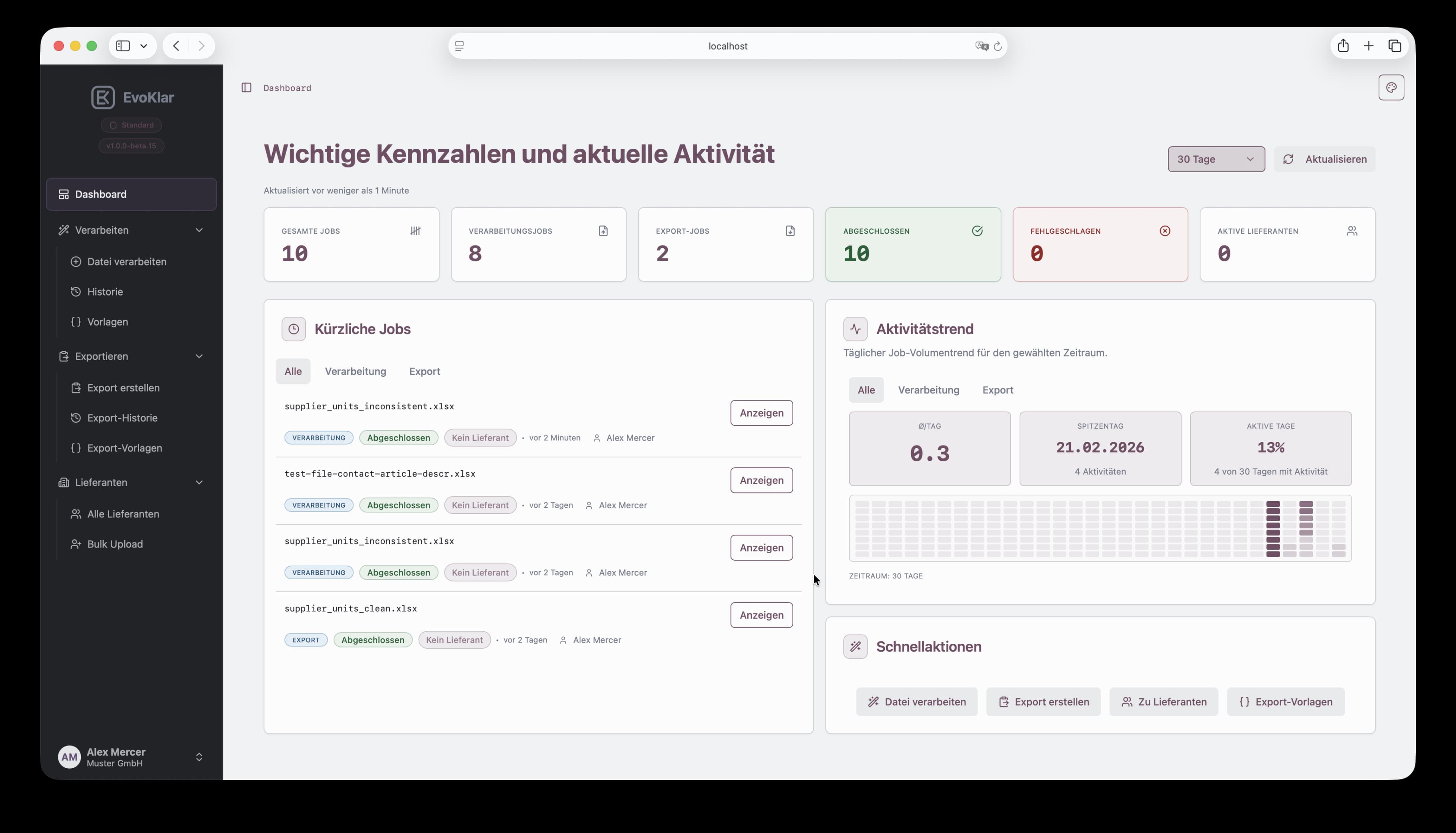
EvoKlar interface overview
01

Processing

  • Use ready templates for recurring file patterns.
  • Apply deterministic rules for consistent results every run.
  • Cut manual spreadsheet cleanup and get to usable data faster.
02

Export

  • Create shared templates your team can reuse.
  • Prevent failed imports by checking structure before export.
  • Download output ready for your target system.
03

Data control

  • Choose handling mode: plain, hashed, or encrypted.
  • Files are not uploaded or stored on our systems.
  • Operational metadata is retained for traceability.
How it works

From raw spreadsheet data to clean output in four steps

01

Select supplier and mode

Choose supplier context and processing mode before starting the run.
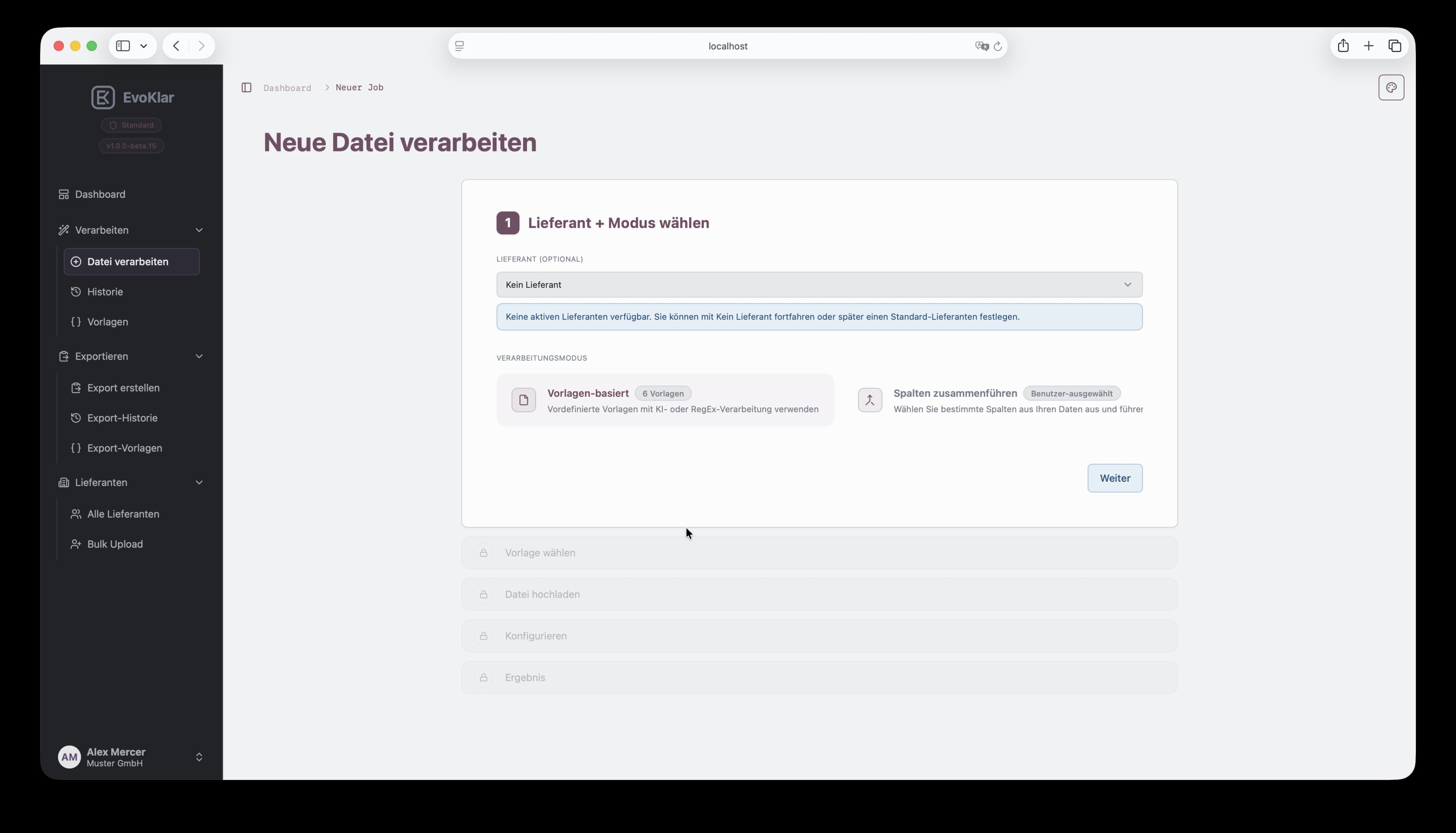
Processing wizard step 1 in EvoKlar: select supplier and processing mode.
02

Choose a template

Pick the matching processing template for your incoming source file.
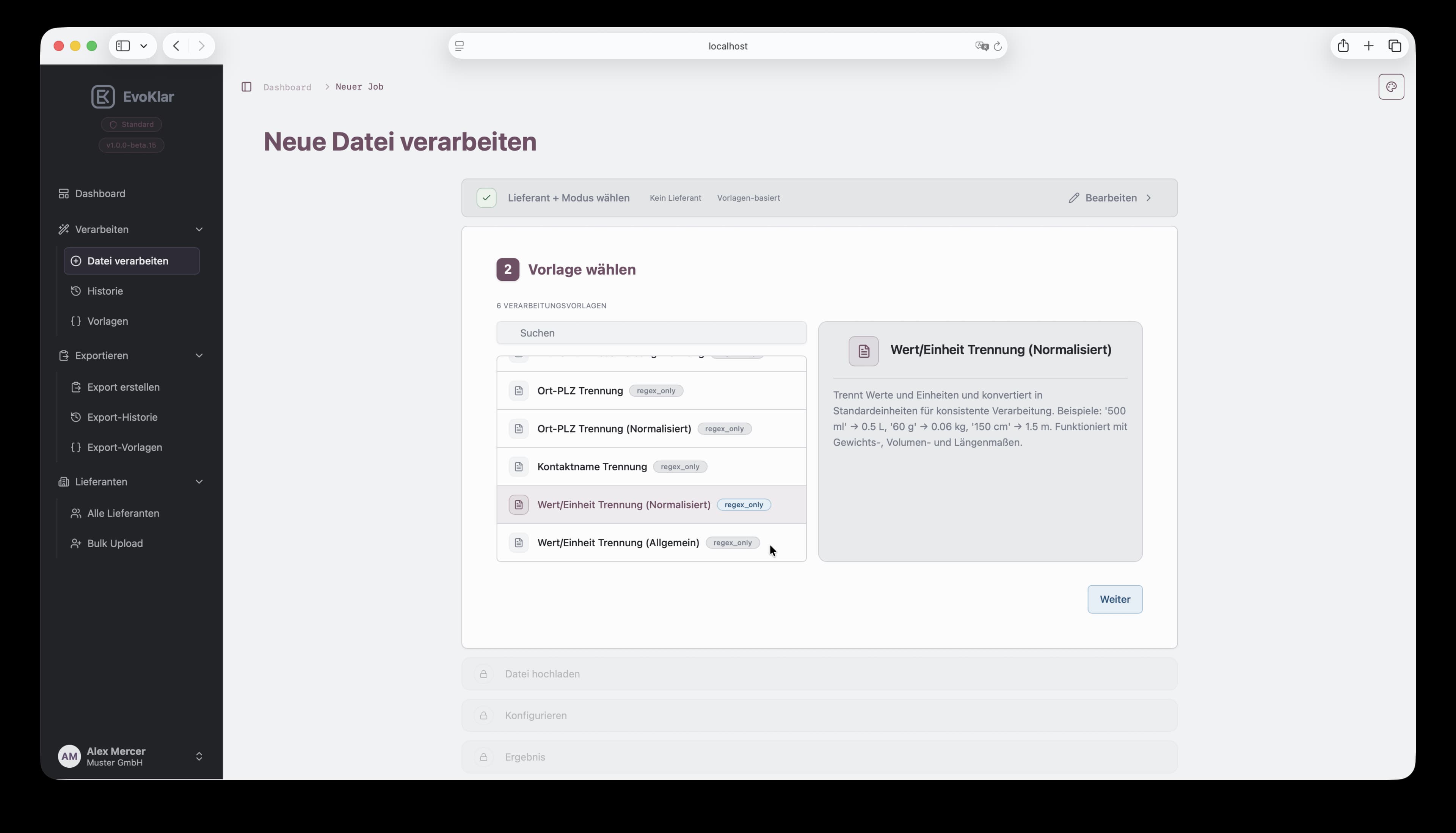
Processing wizard step 2 in EvoKlar: choose a processing template.
03

Upload source file

Upload the file you want to transform and continue in the wizard.
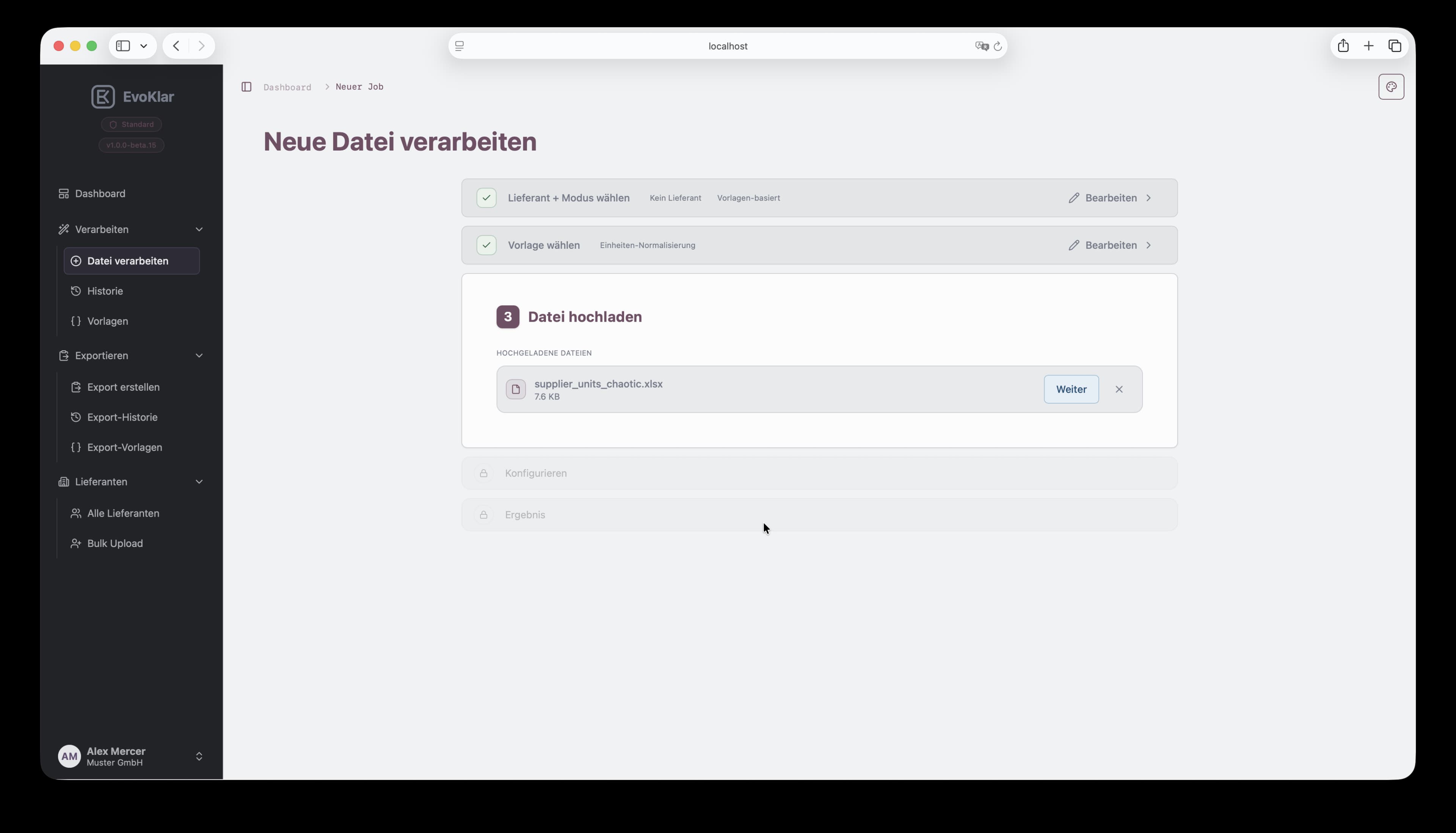
Processing wizard step 3 in EvoKlar: upload the source file.
04

Review results and download

Validate transformed data in preview and download clean output.
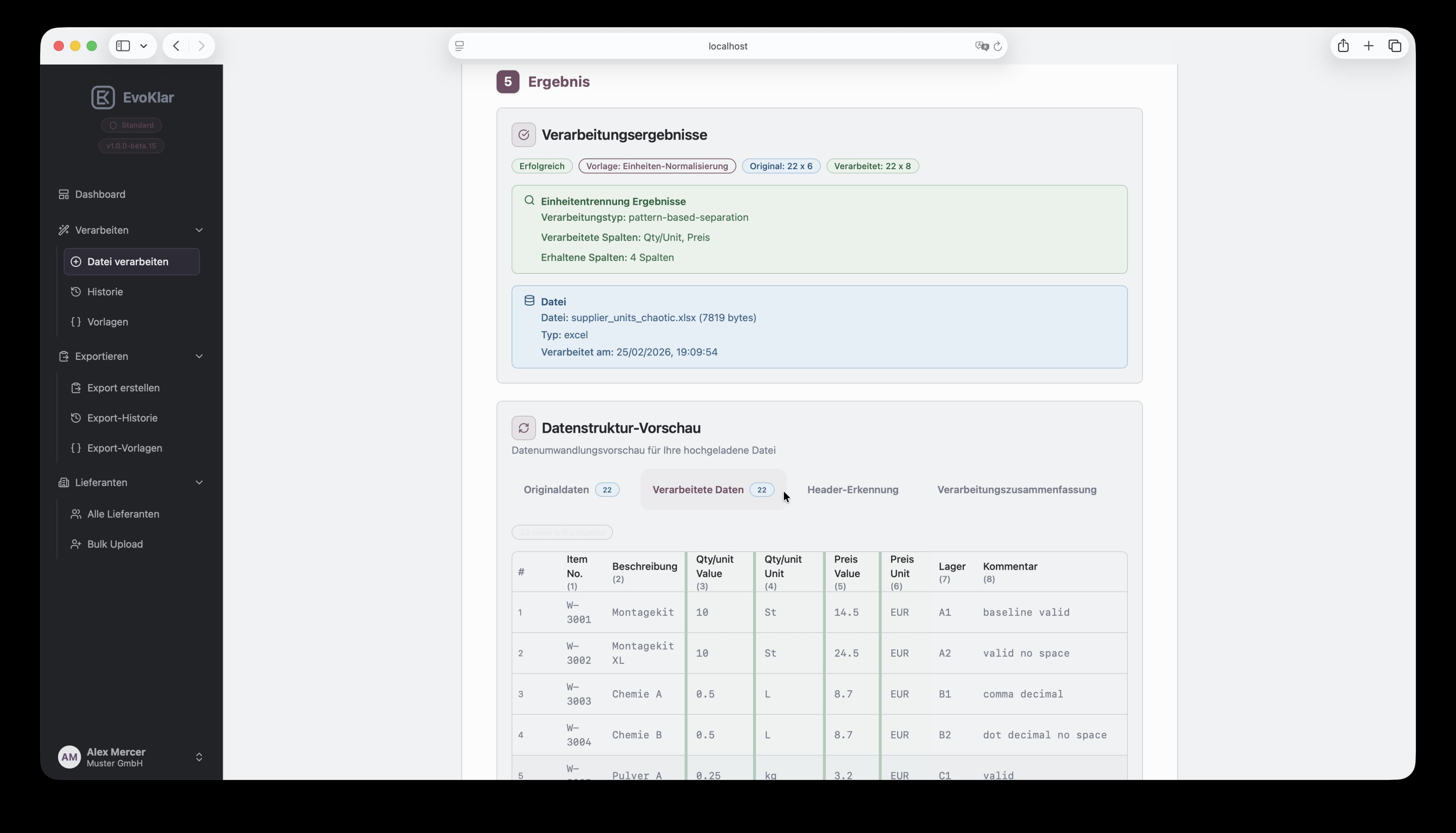
Processing wizard results in EvoKlar with transformed data preview.
How it works

From source file to import-ready export in five steps

01

Select supplier

Choose supplier context to assign export jobs for traceability.
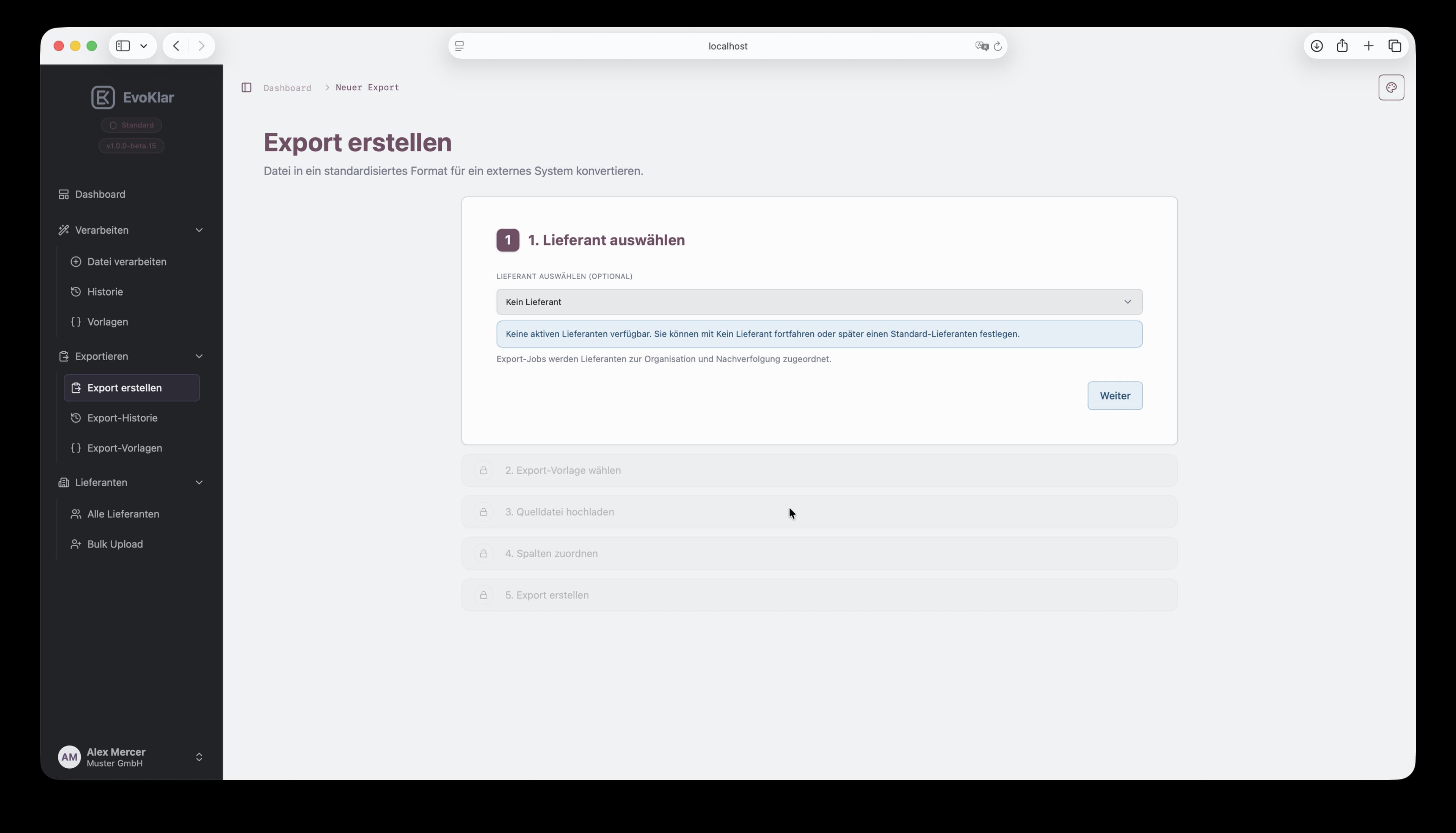
Export wizard step 1 in EvoKlar: select supplier.
02

Choose export template

Select the target schema template for the destination system.
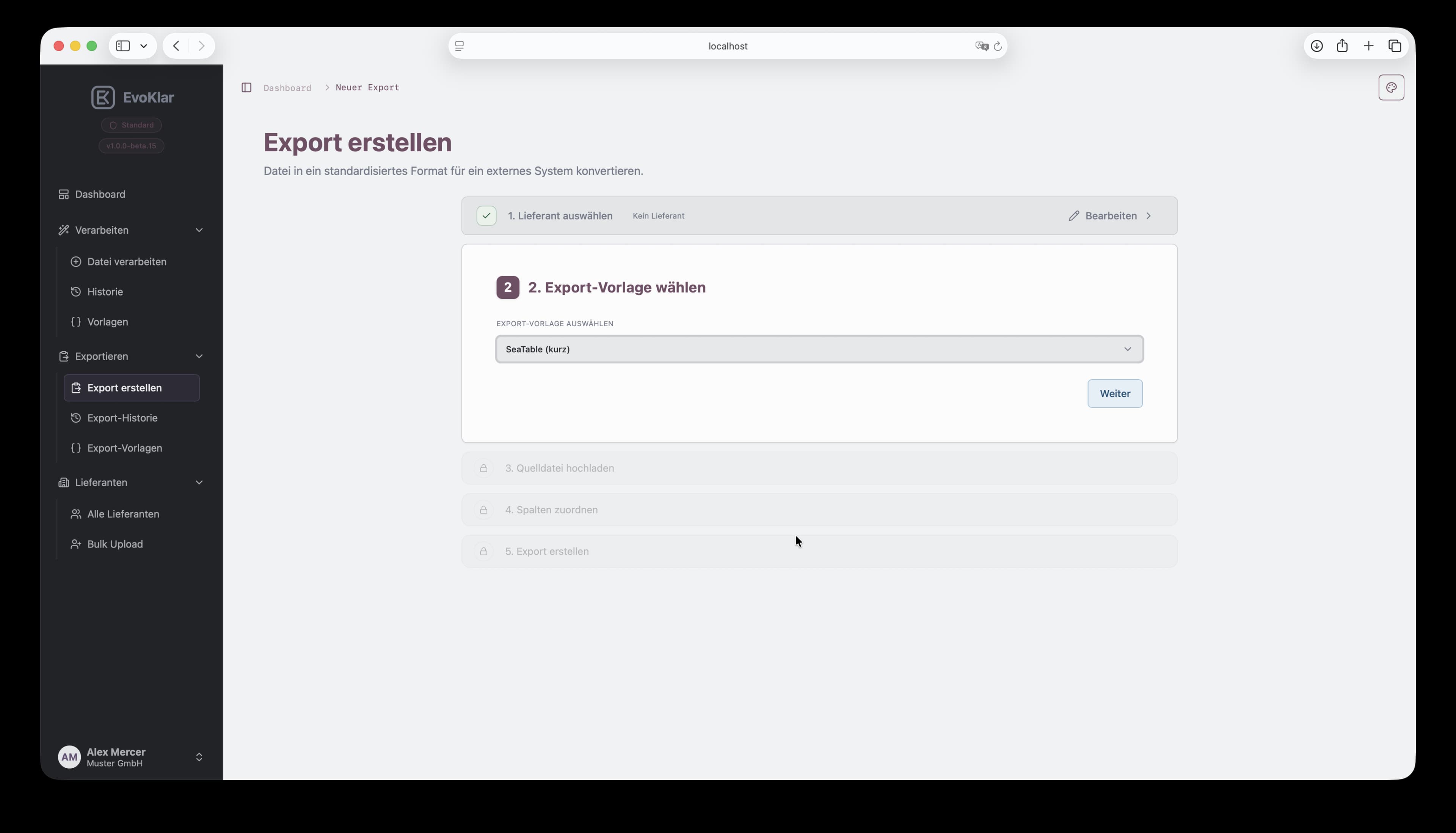
Export wizard step 2 in EvoKlar: choose export template.
03

Upload source file

Upload the source file that should be converted into export format.
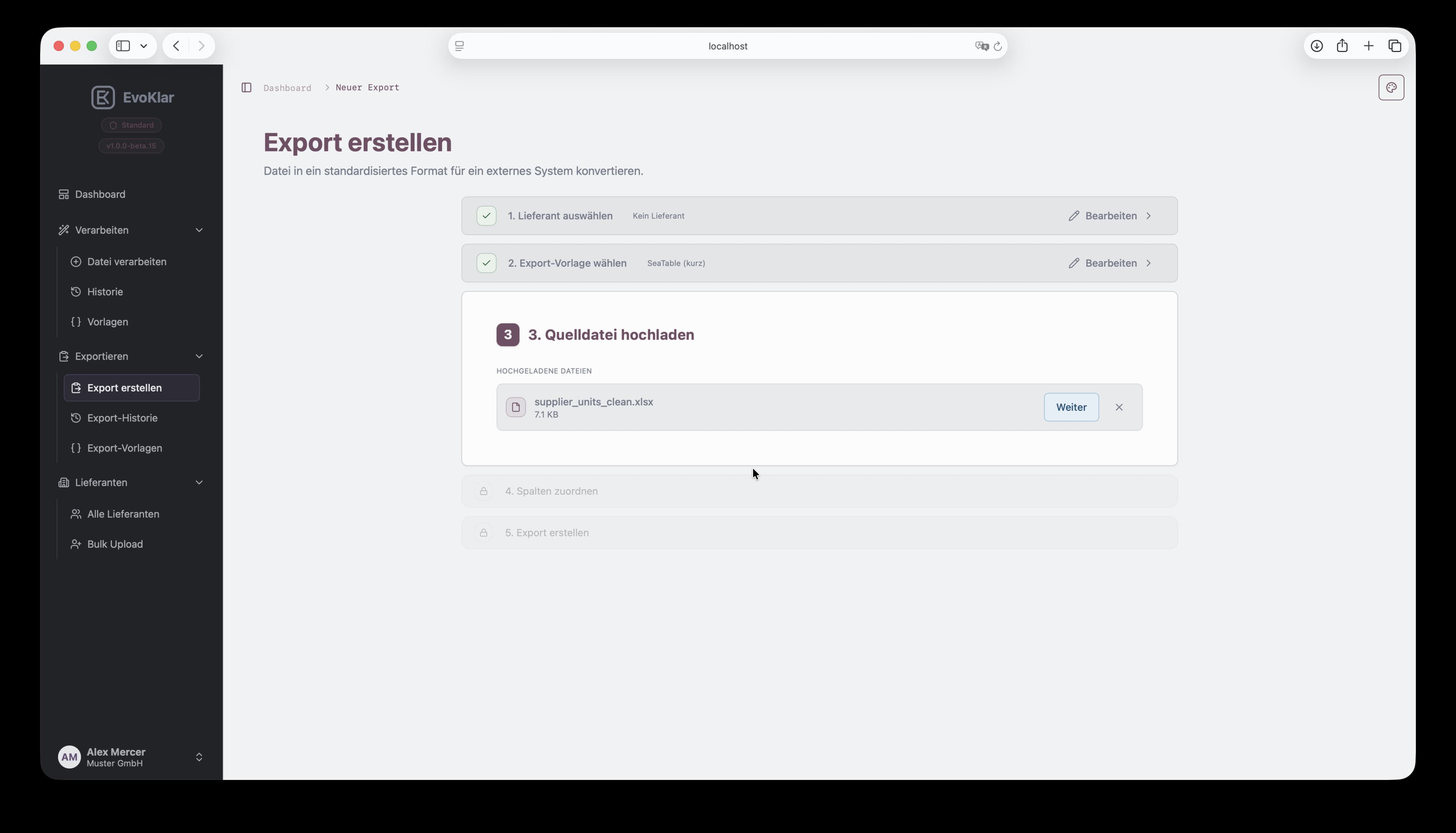
Export wizard step 3 in EvoKlar: upload source file.
04

Map source to target schema

Map source columns to the exact target fields required by your template.
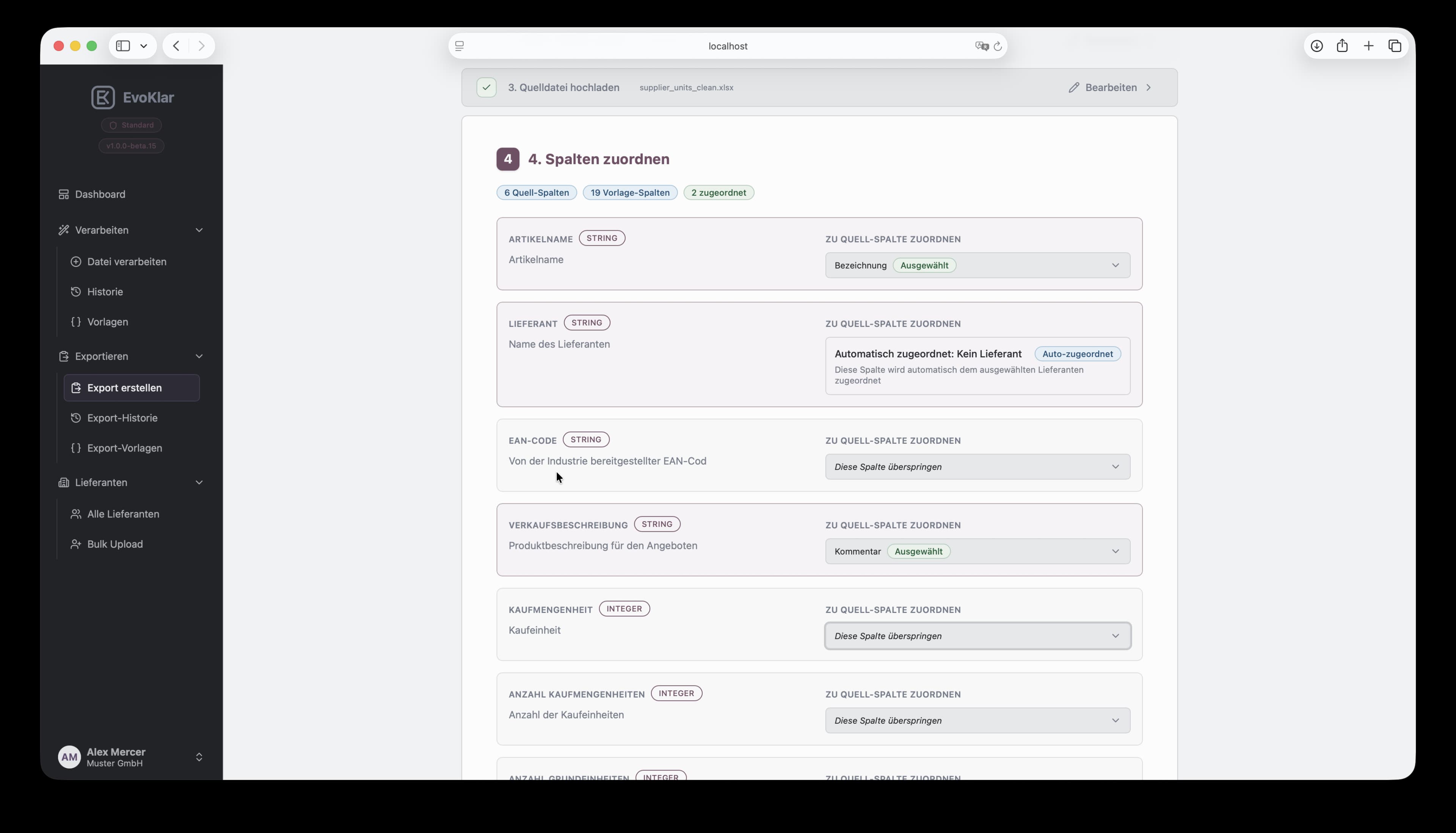
Export wizard step 4 in EvoKlar: map source columns to target schema.
05

Create export file

Select output format and generate the final export file for your target system.
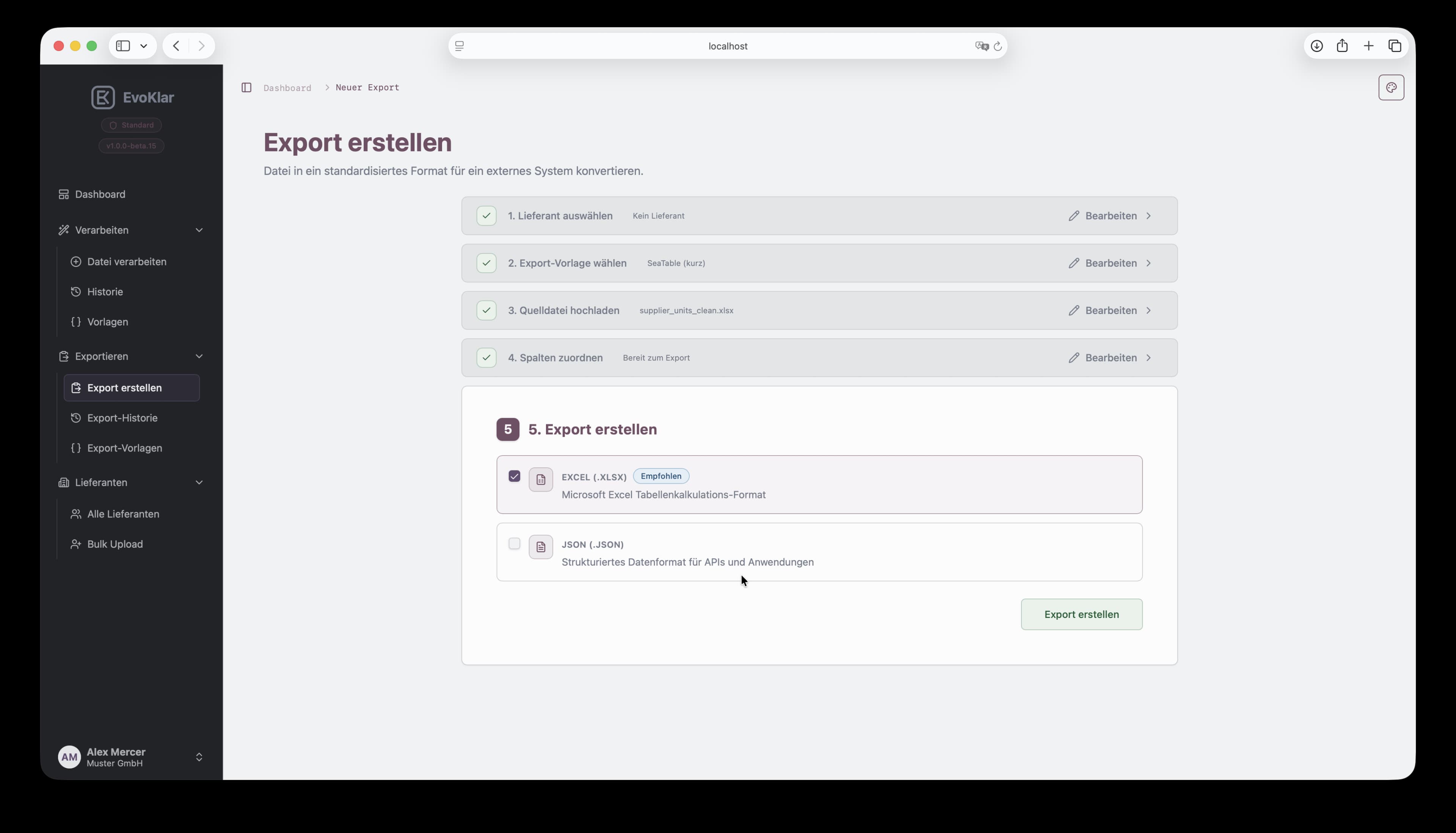
Export wizard step 5 in EvoKlar: choose format and create export file.
Use cases

Three practical ways to use EvoKlar

### ERP MATERIAL LIST ###
Customer groupIndustry
Item No.DescriptionQty/UnitPrice
W-3001Montagekit1,5 kilogr.14,50 €
W-3002Chemie A0,50 L8,70 €
W-3003Pulver B250GRAM3,20 €
W-3004Chemie B60 gramms8,70 €
W-3005Pulver A500 ml3,20 €
W-3006Harz C2 LITER21,00 €
W-3007Additiv X750ML11,40 €
W-3008Probe Set604,99 €
Enterprise deployment

Data workflows fully under your control

Deploy EvoKlar on your infrastructure and adapt processing, templates, and integrations to your internal standards.

Deploy local or on-prem on infrastructure you control.

Workflow and template logic tailored to your business model.

Track recurring patterns and bottlenecks to continuously improve data operations.

FAQ

Quick answers before requesting beta access

Processing runs in your browser — files are never uploaded or stored. Only operational metadata is retained for traceability, hosted in the EU with servers in Germany. You can choose as-is, hashed, or encrypted processing depending on your compliance needs.
Supported input formats are Excel (.xlsx) and CSV.
Typical uploads up to 10 MB work well. Very large files should be split before upload.
Processing currently uses available templates. Export templates can be created and reused. Advanced custom setups are available depending on your plan.
EvoKlar is currently in beta and free to use. A pricing model will be introduced later, but there will always be a free plan that covers regular, day-to-day usage.
Export formats currently include Excel and JSON. Additional formats can be added based on requirements.

Have more questions or need a customised solution? Reach us at hello@evoklar.de